Connect and help
Enter the ID and key of the remote computer. See its screen and use your keyboard and mouse during the session.
WindowsWeb
Remote access, support and computer management. Here is what you can do from the Windows application, from your browser and from your account.
Enter the ID and key of the remote computer. See its screen and use your keyboard and mouse during the session.
Use the session file panel to move files between computers. It is not available in the web connection yet.
The application runs as a Windows service and lets you set a permanent key for the computers you want to leave available.
Check which computers are online, edit names and notes, and sort them into groups and tags.
Review your sessions and build reports by period, with the duration of each one.
Send someone a link to the portable tool and connect with a one-time key.
| Feature | Windows | Web | Portal |
|---|---|---|---|
| Connect with ID and key | |||
| See and control the screen | No | ||
| Transfer files | No | No | |
| Unattended access | No | No | |
| Saved computers | No | ||
| History and reports | No | No |
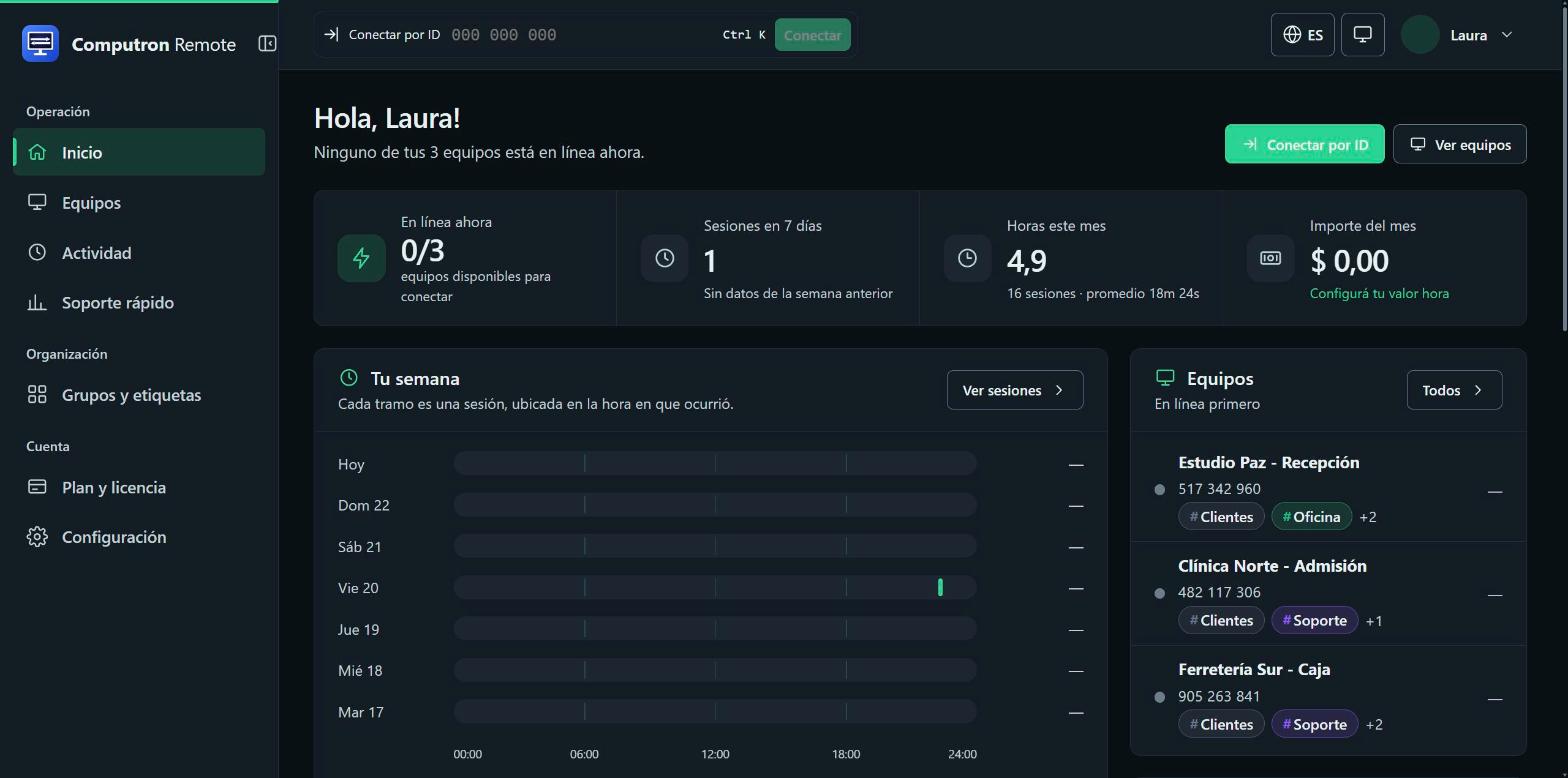
Your computers, this month's hours and the week's activity at a glance.
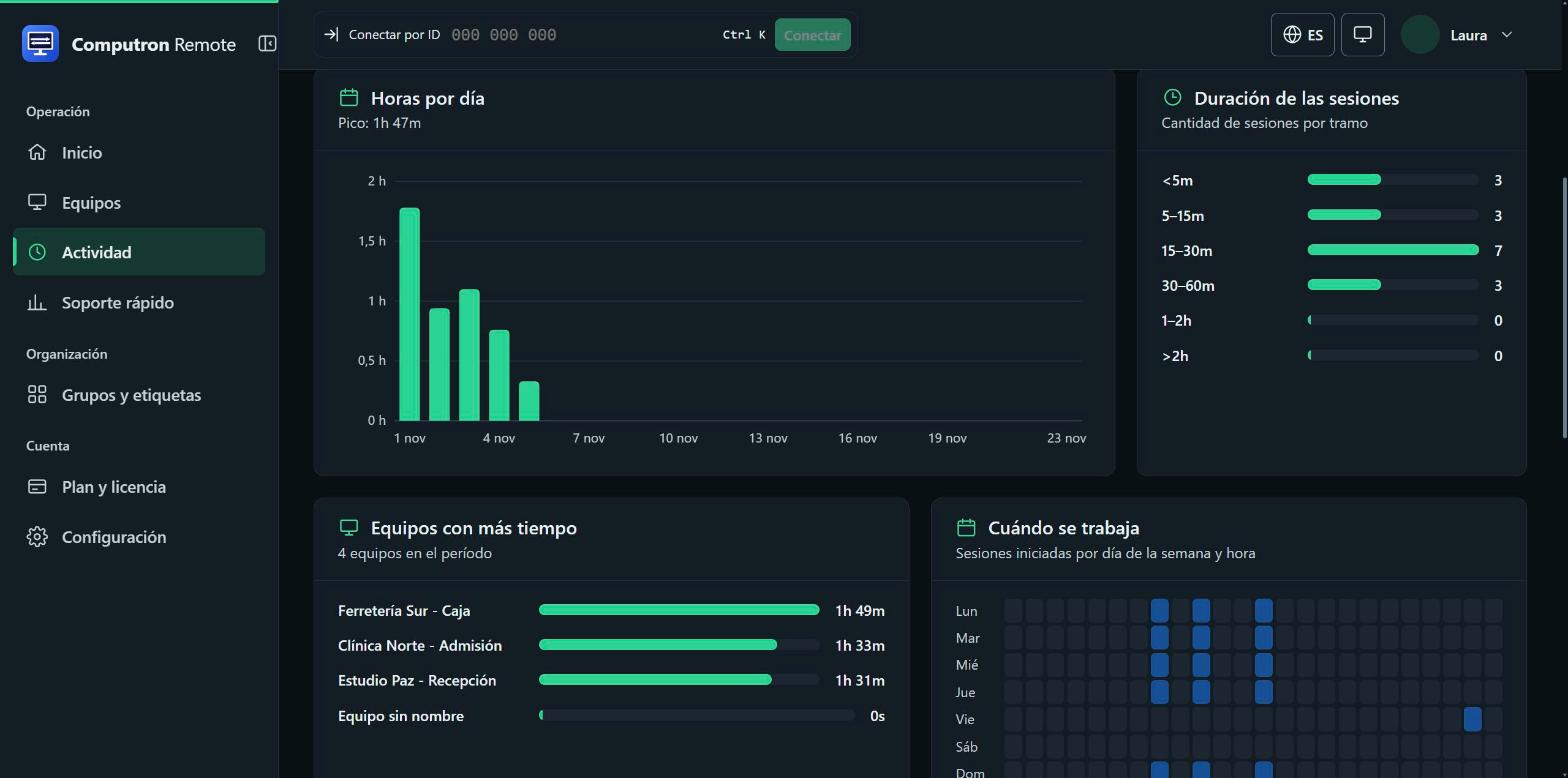
How much support you gave each day and how long your sessions last.
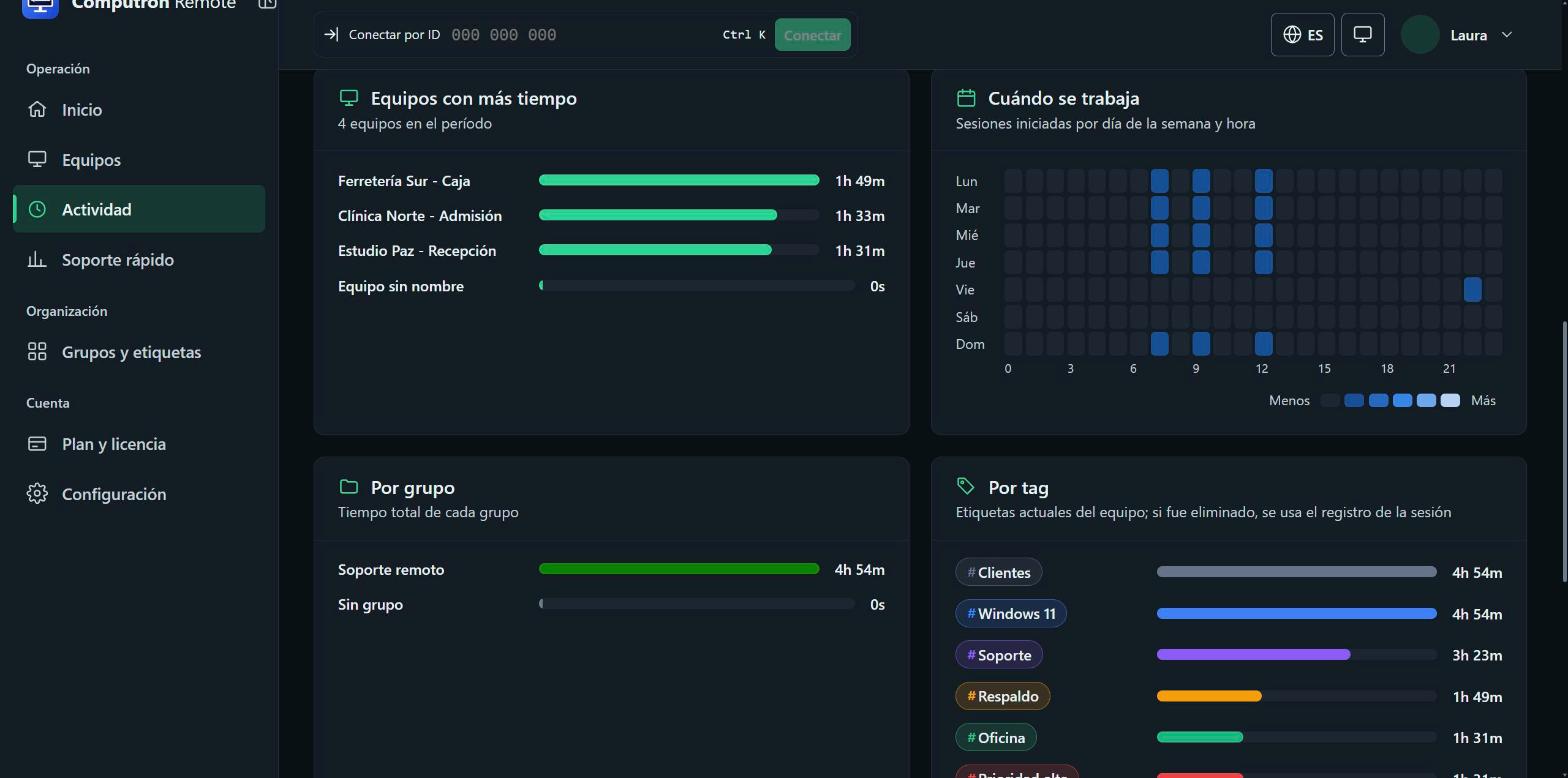
Time spent on each customer, and the days and hours you work.
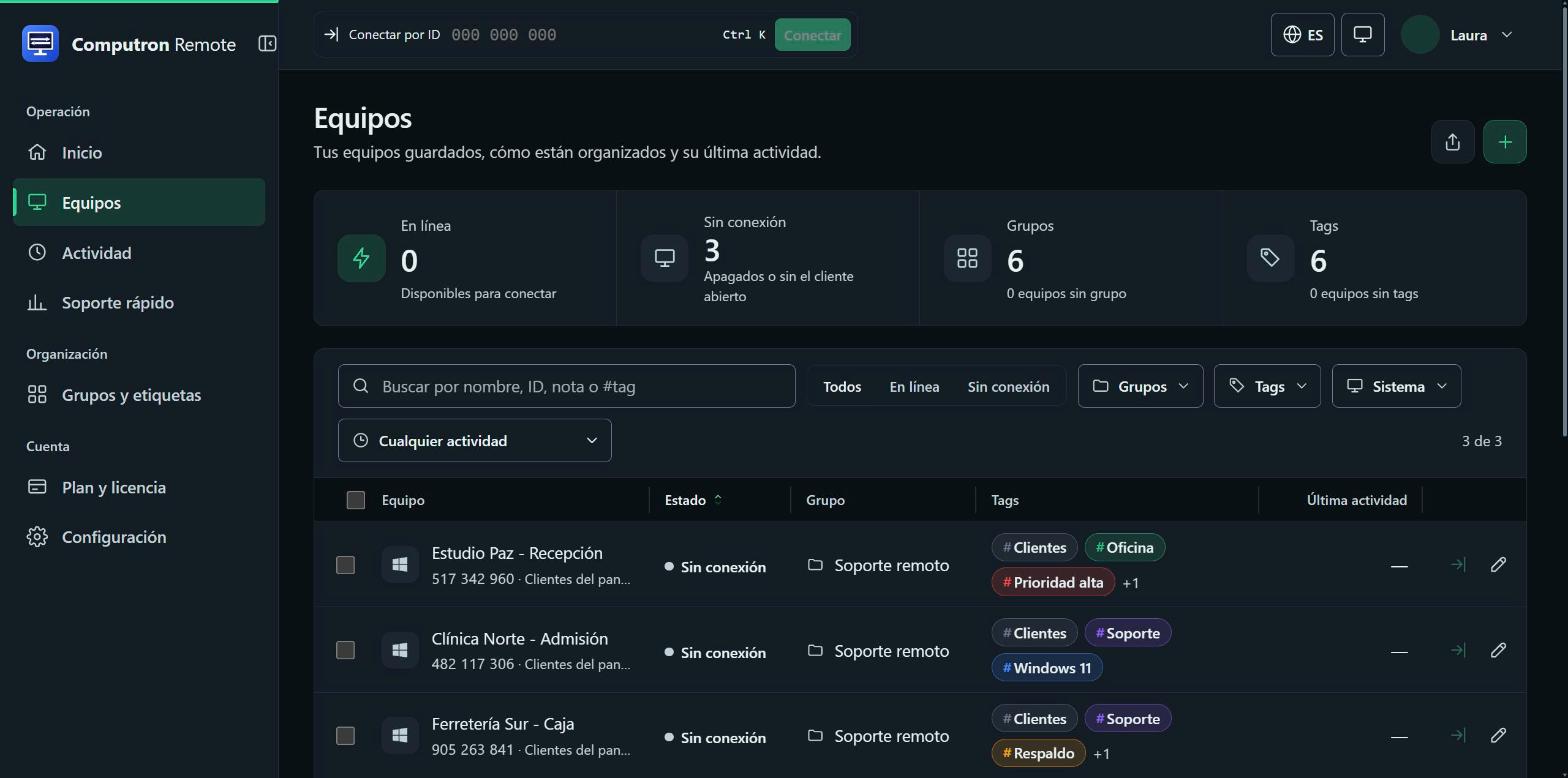
Organized by group and tag, with their status and last activity.
Connecting with an ID and a key does not need an account. Sign in only if you want to save and manage your computers.